
How to use Microsoft Excel to create colourwork for existing patterns
and
“Christmas Jumper” charts
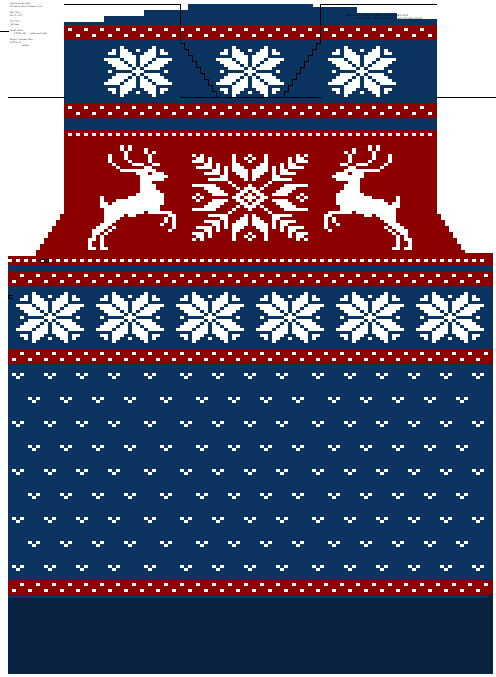
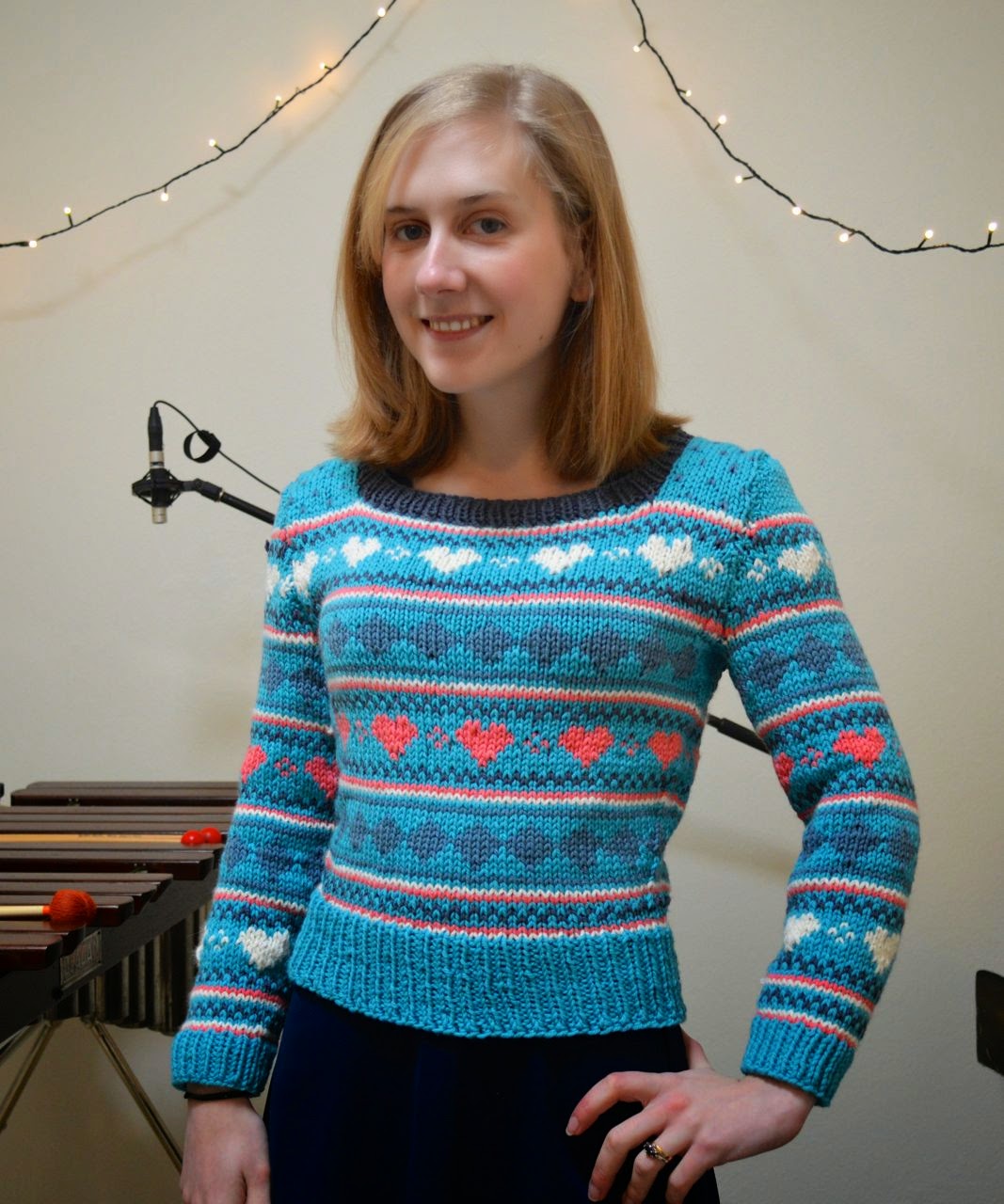
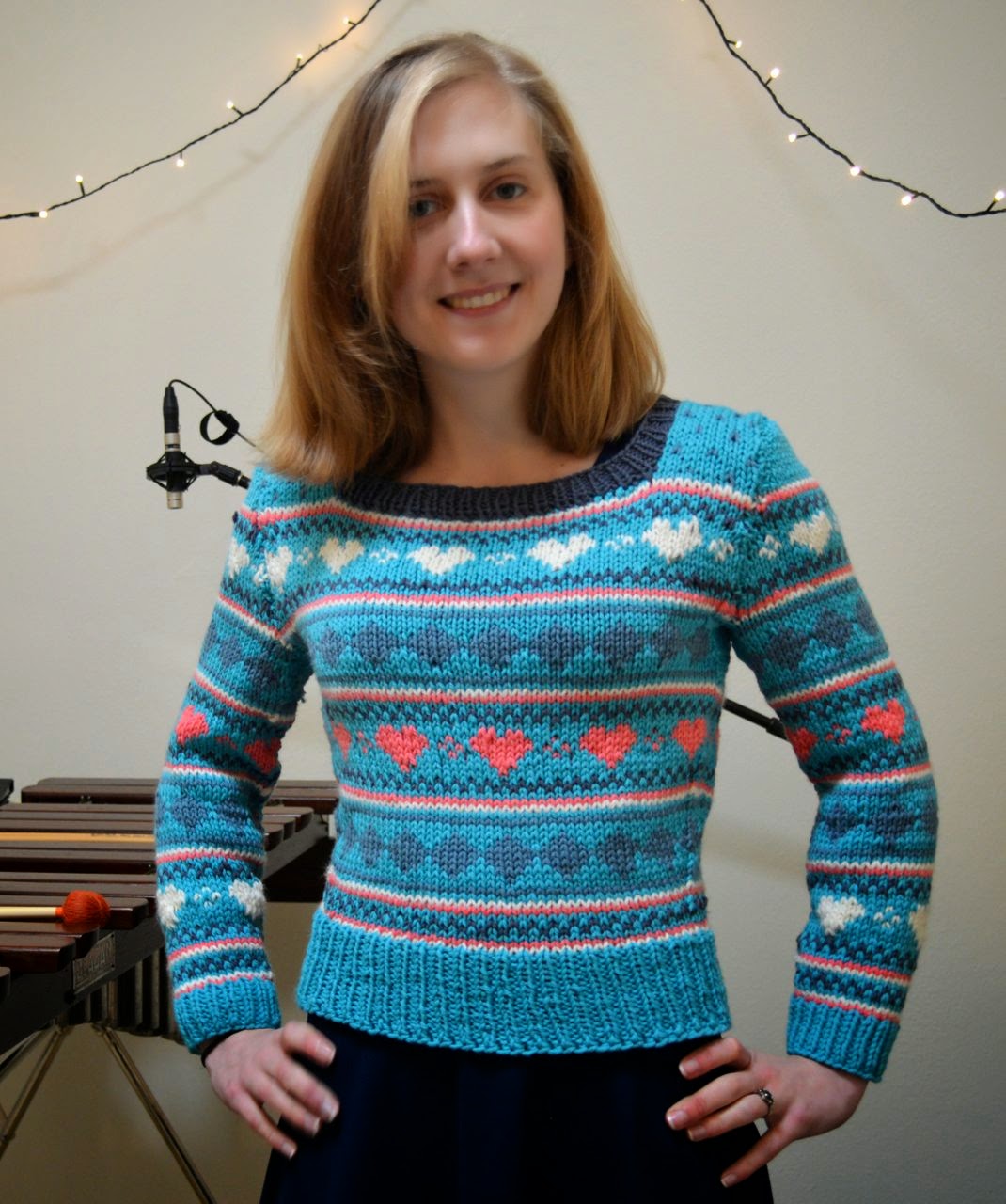
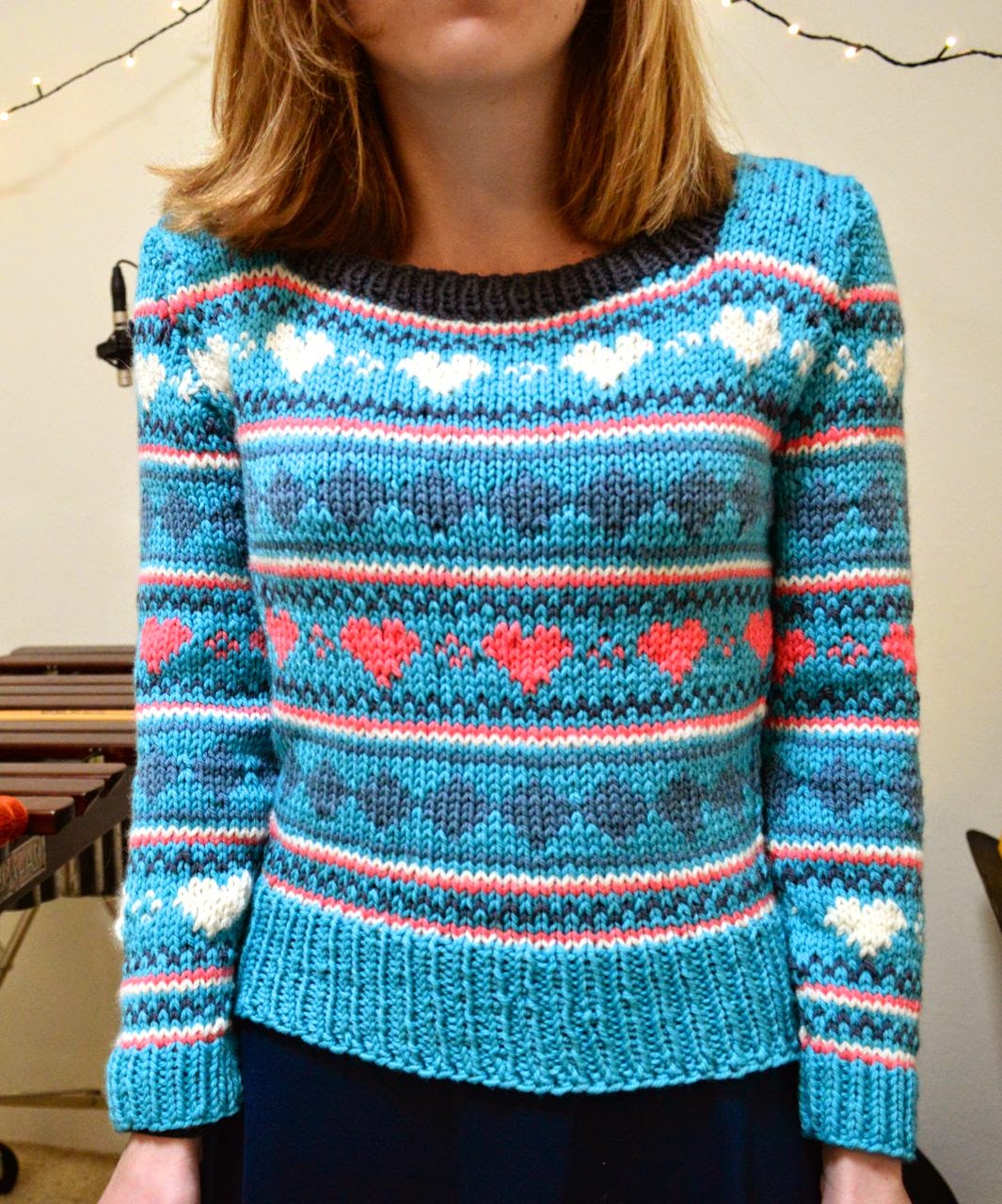
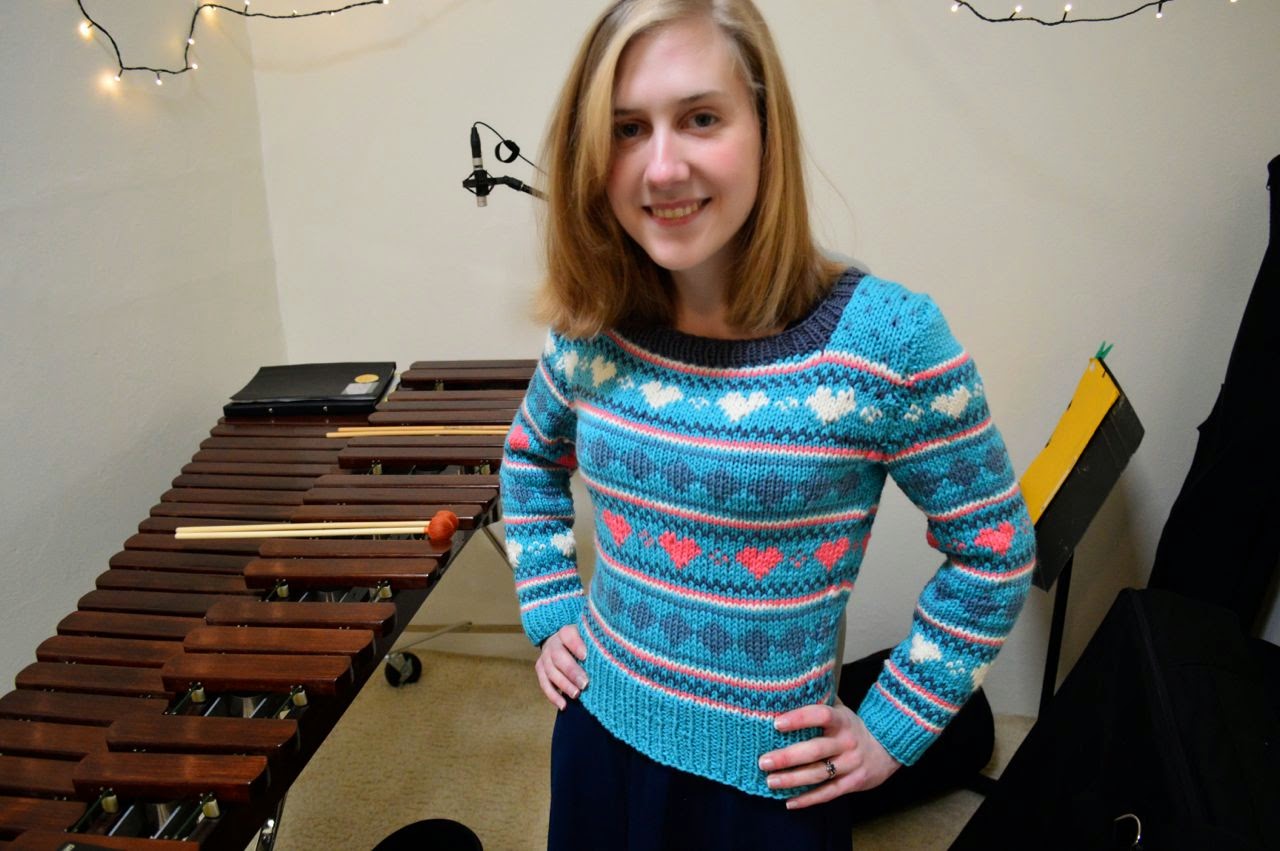
After the popularity of the Christmas Jumper I made, I decided to share my process. Many people on Ravelry asked me to share my pattern – however I used a commercial pattern for the construction and only originally created the colourwork.
In this tutorial I will show how to put your own unique colourwork designs on an existing jumper pattern, using Microsoft Excel.
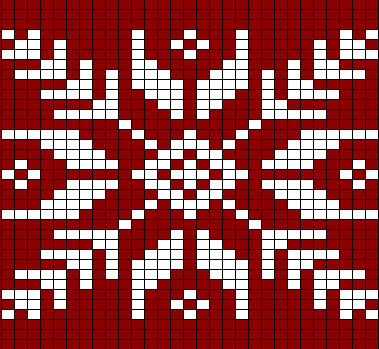
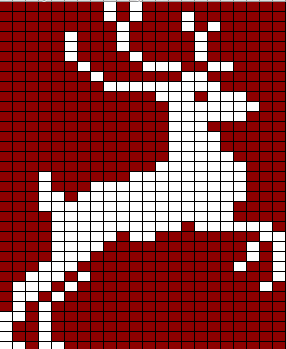
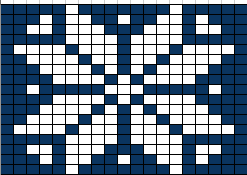
For those wanting some charts from my Christmas Jumper, they follow after the tutorial. You will need to space these charts to fit your unique stitch count.
Before we begin, you will need a pattern to draw up. I have chosen a free women’s sweater pattern from Rowan as an example, and will take you through the entire process. You should use a pattern you have with the shaping you like.
Pattern: Bond. http://www.ravelry.com/patterns/library/bond
This is easiest with a set-in sleeve pattern as you don’t need to worry about raglan or round yoke decreases. It’s also best to have side shaping (if any shaping) instead of darted shaping. It creates nice flat canvas for colourwork.
One disadvantage of using this kind of pattern is that you usually have to work it flat, whereas colourwork is easier in the round. You can always convert flat patterns to round, but will need to steek the sleeve holes (an advanced technique I won’t go into here). For this example, I will colour in a set-in sleeve pattern with the intention of doing stranded colourwork on the knit and purl sides of the fabric.
My size is XS so this tutorial will be in that size.
Let the tutorial begin!
First open up Excel and make all the cells square. Do this by selecting all (command a) and dragging the vertical cell wall to make a square.

Now we need to make an outline of the pattern on the spreadsheet. Go down the page quite a lot (if your pattern is bottom-up like mine) and a few squares in from the edge. Check to see how many stitches to cast on, and colour in a row of that many squares. Colour in by highlighting the squares and clicking on the “fill” button. For me, it is 99 stitches.
The first section is usually rib, which I like to make a darker colour so I remember later not to colour it. In my case, I work 14 rows in rib. So I’ll drag up from the 99 stitches 14 rows and colour that whole block. So far you’ve got a rectangle.
Now we get to outline the sweater. Following the shaping (if you have any), outline the edges of the sweater. For me, I am supposed to knit 8 rows and then decrease on each side, and then every 6 rows, and then every 4 rows. Then it increases again.

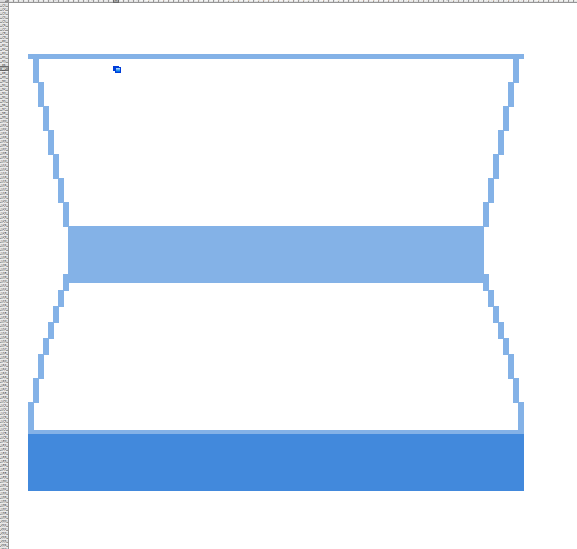
Sometimes you will come across something like “Knit until piece measures -cm from cast on edge”. This is when you’ve got to look at your gauge and figure out the maths! Mine says “continue straight until back measures 38cm from cast on edge”.
First, look at your row gauge. Mine is 32 rows to 10cm. So there’s 3.2 rows in 1cm. 3.2 x 38cm = 121.6 (let’s call it 122). I’ve already done 109 rows from the cast on edge, so there’s only 13 rows to go. Draw them in.
Now usually you have to decrease for the armholes. Just like in the waist shaping, draw it in. Continue until the cast off edge.

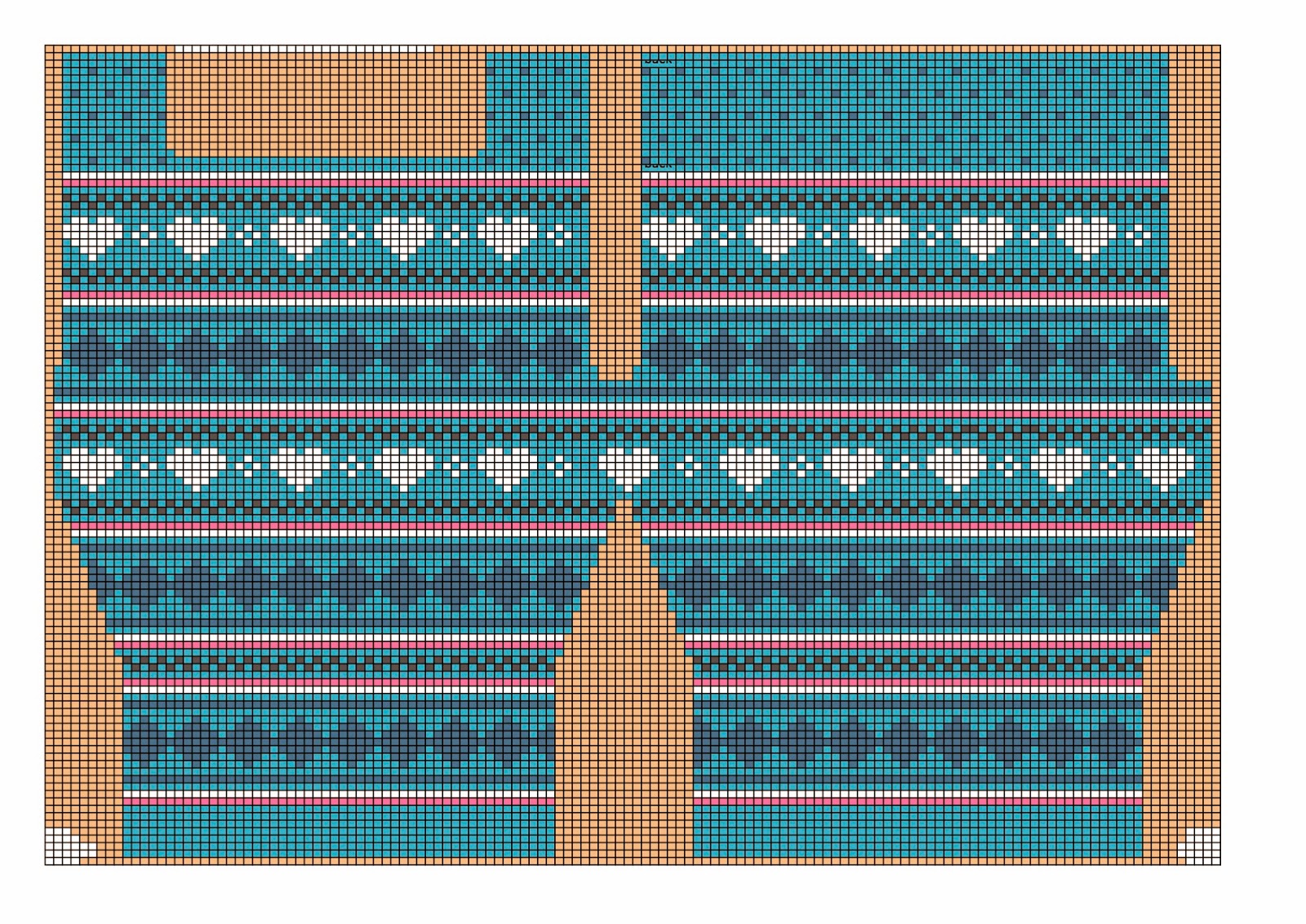
For most standard set-in sleeve jumpers the front and the back are very similar. For mine, it only begins differing at the neckline. Rather than make a whole new drawing for the front, I use “borders” on the cells to outline where the front is different from the back. Just following the outline like we did with the rest of the sweater. This means that your front and back will have identical colourwork (except for the top middle which will be absent in the front).


I didn’t do it here, but it can be helpful to draw a line down the centre. This just helps you keep the patterns symmetrical.
Now is the fun part! Colouring in! Start experimenting with different geometric designs. Good resources are cross stitch charts, existing fair isle patterns, and pixel art. Simple little bands are easy to make, you only need two or three rows to make them effective. Snowflakes are a bit trickier, so you might want to look something up and copy it.
Keep in mind that you don’t want too many stitches before changing colour. If you leave one colour too long your floats can become unweildly or tight.

For my example, I used hearts, snowflakes, squirrels, and a pretty border pattern. I love the way it ended up!
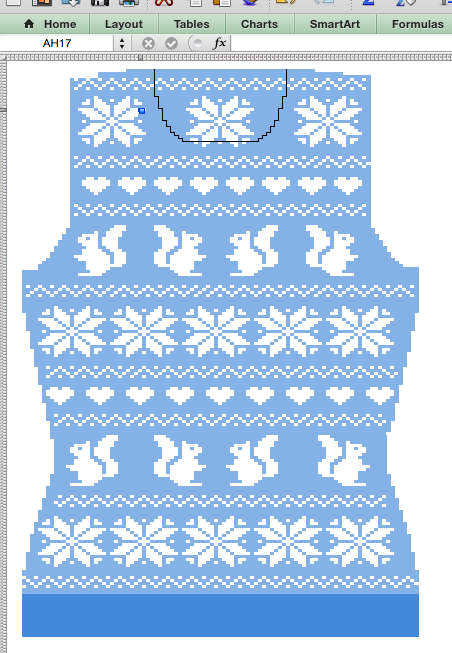
When repeating a pattern across the jumper, you need to keep the design centred. This means that when the stitch count is different (e.g. at the waist shaping) you may need to adjust the spacing between the motifs. My two rows of squirrels are spaced differently to keep them centred.
Sleeves can be lovely with full colourwork, but I prefer sleeves with only a little colourwork. If I were to knit this I would put the border pattern or hearts motif just after the cuff ribbing on the sleeves and leave the rest of the sleeves blank.
A great thing about making this outline of the pattern is that you don’t need to read the pattern. All of your shaping is worked into the chart. This chart is all you need!

Please check out my Ravelry page and my designs on Ravelry:
Christmas Jumper charts!




 Christina Hopgood